How to Claim Your Business in ChatGPT: Every Step, With Screenshots From Our Own Claim
We claimed OnlyAEO in ChatGPT's Business Hub. Here is every screen, the DNS record, the ID check, and what the profile does and does not change.

On this page
- Before you start: what you need
- Step 1: Open Business Hub and search for your business
- Step 2: Tell ChatGPT how customers reach you
- Step 3: Add your website
- Step 4: Verify your domain with a TXT record
- Step 5: Pick a category and describe your business
- Step 6: Add contact details and confirm the email
- Step 7: Set your delivery and return policies
- Step 8: Your profile is created, as a draft
- Step 9: Verify your identity with Persona
- What you get once you're approved
- What claiming does not do
- Common problems and fixes
OpenAI opened Businesses in ChatGPT in November 2026. It works a lot like a Google Business Profile for ChatGPT: you claim your listing, tell ChatGPT what your business is, and see how often it sends people to your site. We run an AEO company, so we claimed OnlyAEO the day we could and took a screenshot of every screen. This guide walks through exactly what you will see, in order, with the small gotchas that cost us time.
Before you start: what you need
Have these ready before you open Business Hub. The whole flow takes about 15 minutes, plus however long your DNS change takes to go live.
| You need | Why |
|---|---|
| A ChatGPT account you will keep using | The profile is managed from the account that claims it. A free account works; ours is. |
| Access to your domain's DNS, or your business phone or email | One of these proves you are connected to the business. |
| A business email inbox you can read right now | ChatGPT sends a code to the contact email you add. |
| A government-issued ID | Persona checks your identity before anything is published. |
| A 300-character description of your business | The description box cuts off at about 300 characters. |
| Your delivery and return policy | ChatGPT asks for both, even for a software company. |
OpenAI says you can claim a business if you own it or are authorized to represent it, and that availability depends on the business's location and type. You do not need an Ads account or a ChatGPT Enterprise agreement.
Step 1: Open Business Hub and search for your business
Sign in to ChatGPT and open Business Hub from the sidebar. You land on a page that says "Reach new customers and grow your business with ChatGPT," with a single search box.
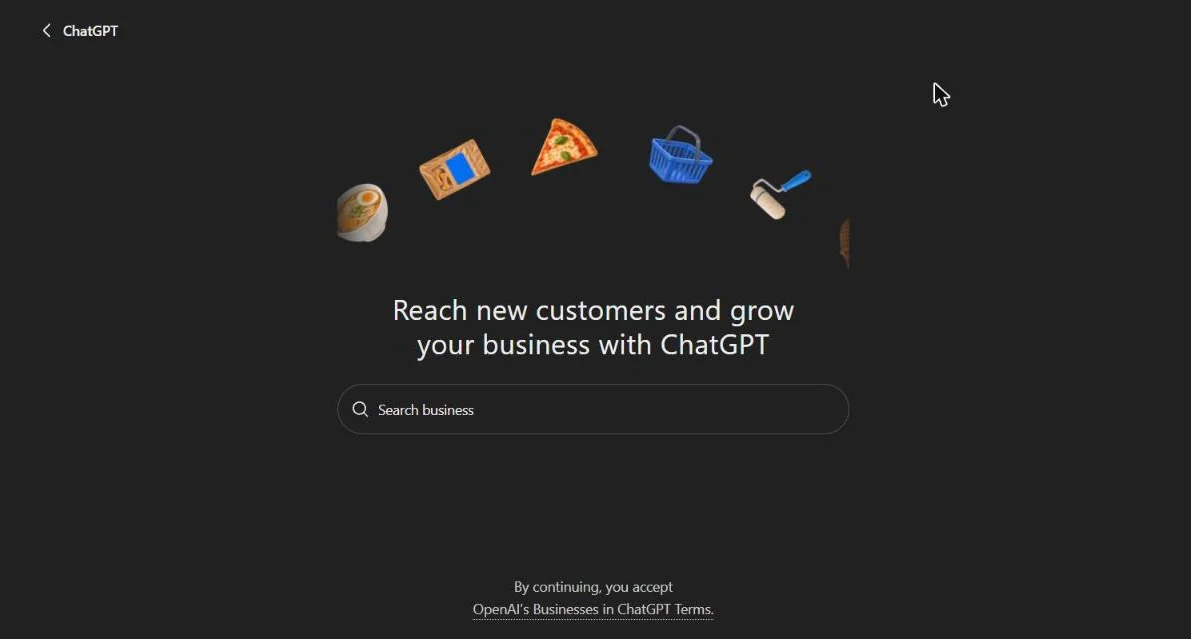
Type your business name. If ChatGPT already has a listing for you, it appears in the results and you claim that one. If it doesn't, the first row offers to create it. OnlyAEO had no listing, so we picked Create 'onlyaeo'. The results under it were other companies with similar names, which is a good reason to check carefully before you claim anything.
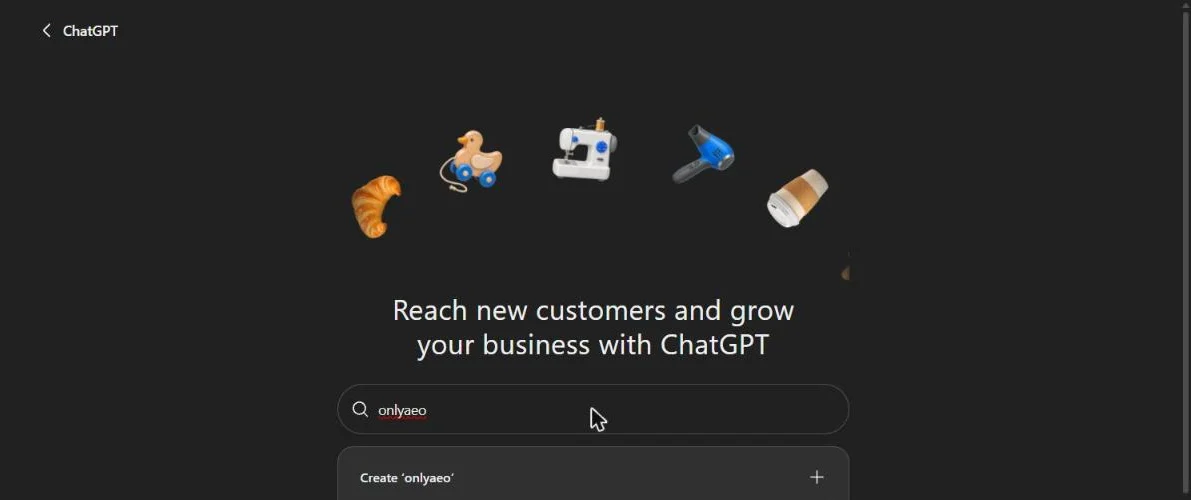
One detail from OpenAI's help page: local stores and restaurants can currently only claim an existing US listing. Online businesses may see the option to add a new one, as we did.
Step 2: Tell ChatGPT how customers reach you
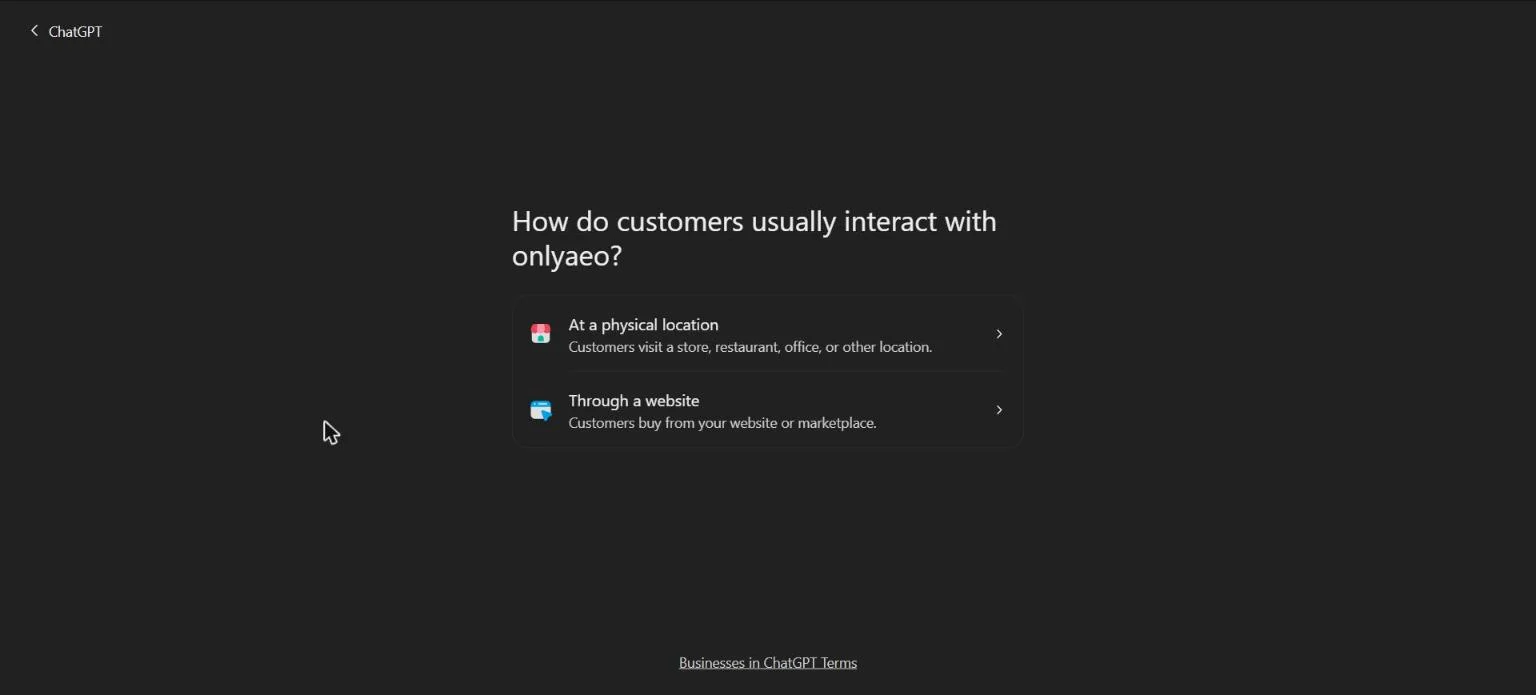
The first question is "How do customers usually interact with" your business. There are two choices: At a physical location for stores, restaurants and offices, and Through a website for anything sold or delivered online. We are a software company, so we chose Through a website.
Step 3: Add your website
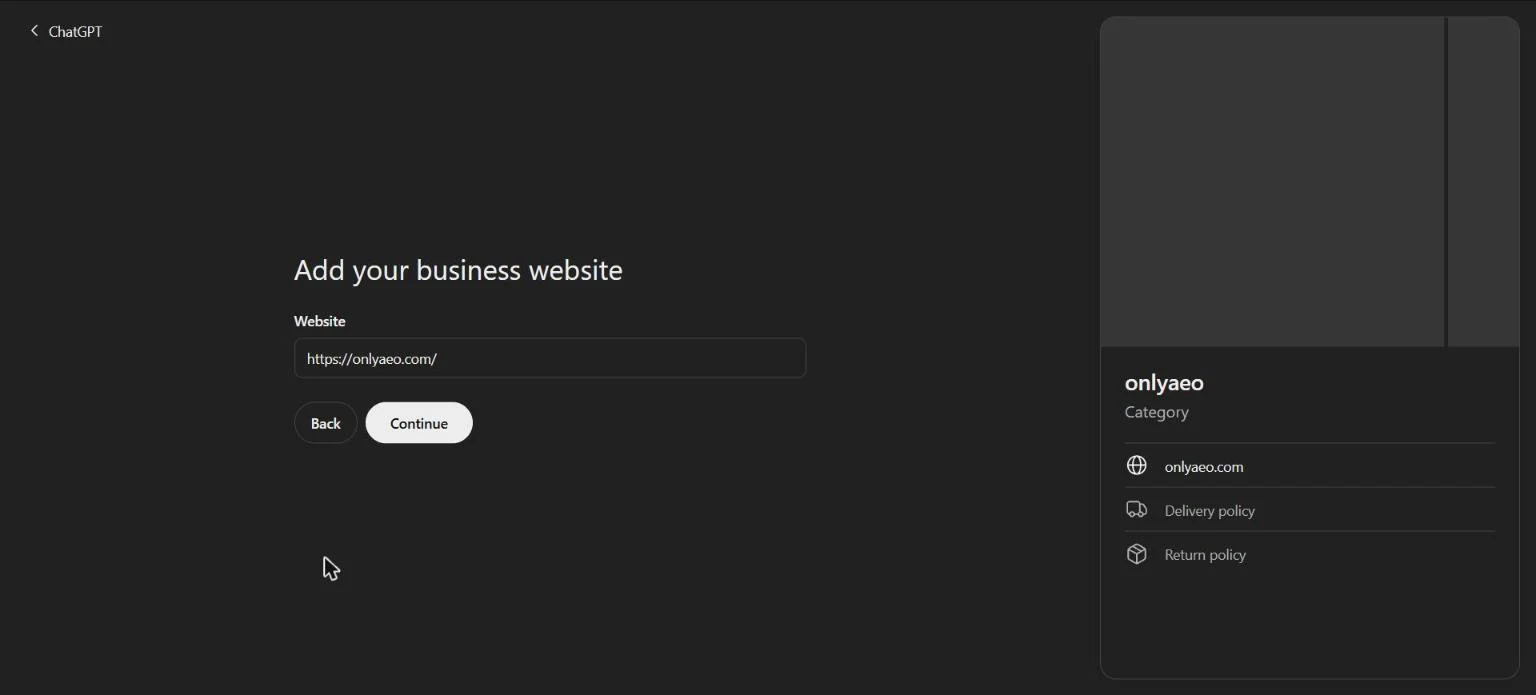
Enter your main website URL. Use the canonical version people actually land on, with https. The preview card on the right starts filling in as you go, so you can see roughly how your profile will look.
Step 4: Verify your domain with a TXT record
This is the step that proves the website is yours. ChatGPT shows a TXT record with three parts: the type (TXT), the name or host, and a long value. You add it at whoever runs your DNS (Cloudflare, GoDaddy, Namecheap, AWS Route 53 and so on), then come back and click Verify domain.
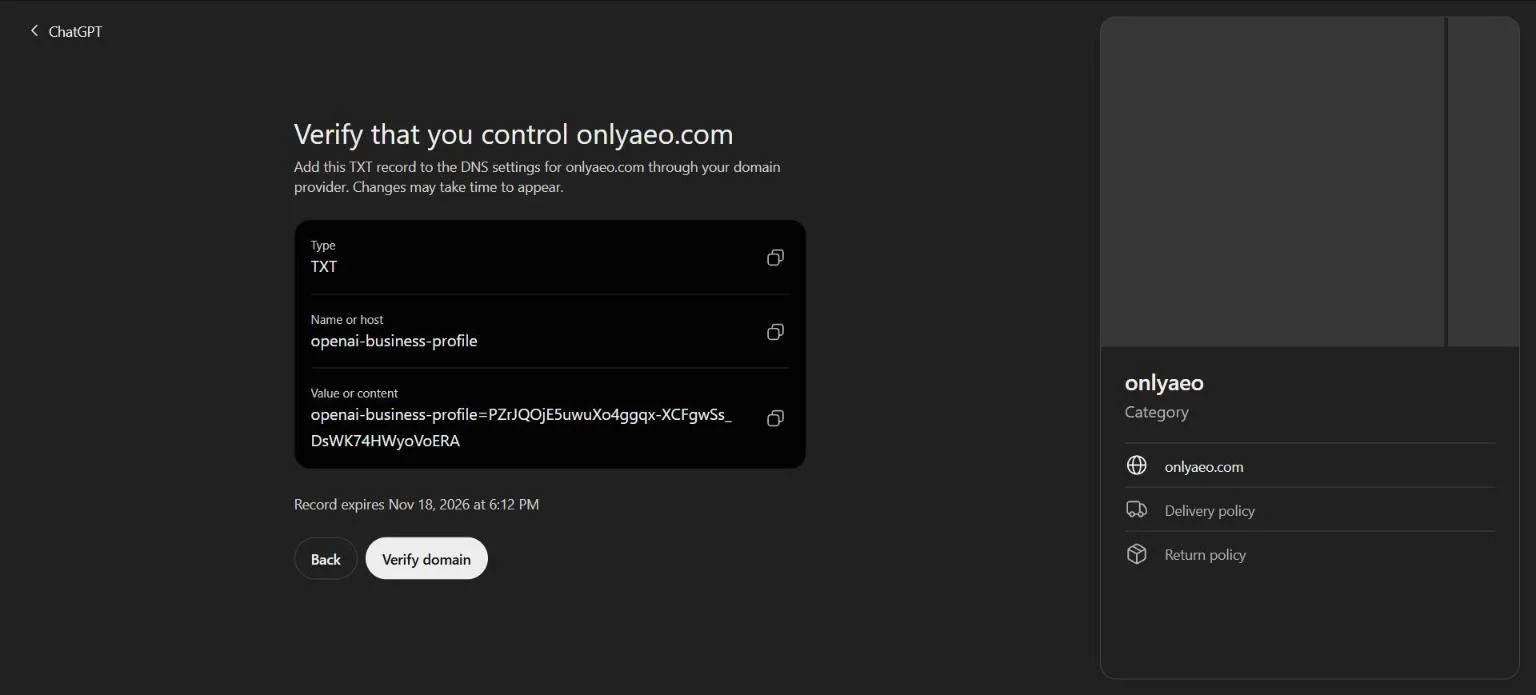
Three things to watch:
- The host field. Ours was
openai-business-profile. Most DNS panels add your domain to the end automatically. If you typeopenai-business-profile.yourdomain.cominto a panel that does that, you end up with the domain twice and verification fails. Enter only the part your provider expects. - The record expires. The screen shows an expiry time for the record. Add it the same day.
- Check it before you click. Run
nslookup -type=txt openai-business-profile.yourdomain.com(or use any online DNS lookup). When the value shows up, click Verify domain. Ours passed on the first try because the record was already live.
If someone else manages your domain, send them the three values and ask them to add the record. OpenAI's help page also lists business phone, business email and Shopify as other ways to verify, depending on what your listing offers.
Step 5: Pick a category and describe your business
Next is "Help people get to know" your business. Choose a category from the dropdown, which has a search box and a long list of categories, then write a short description.
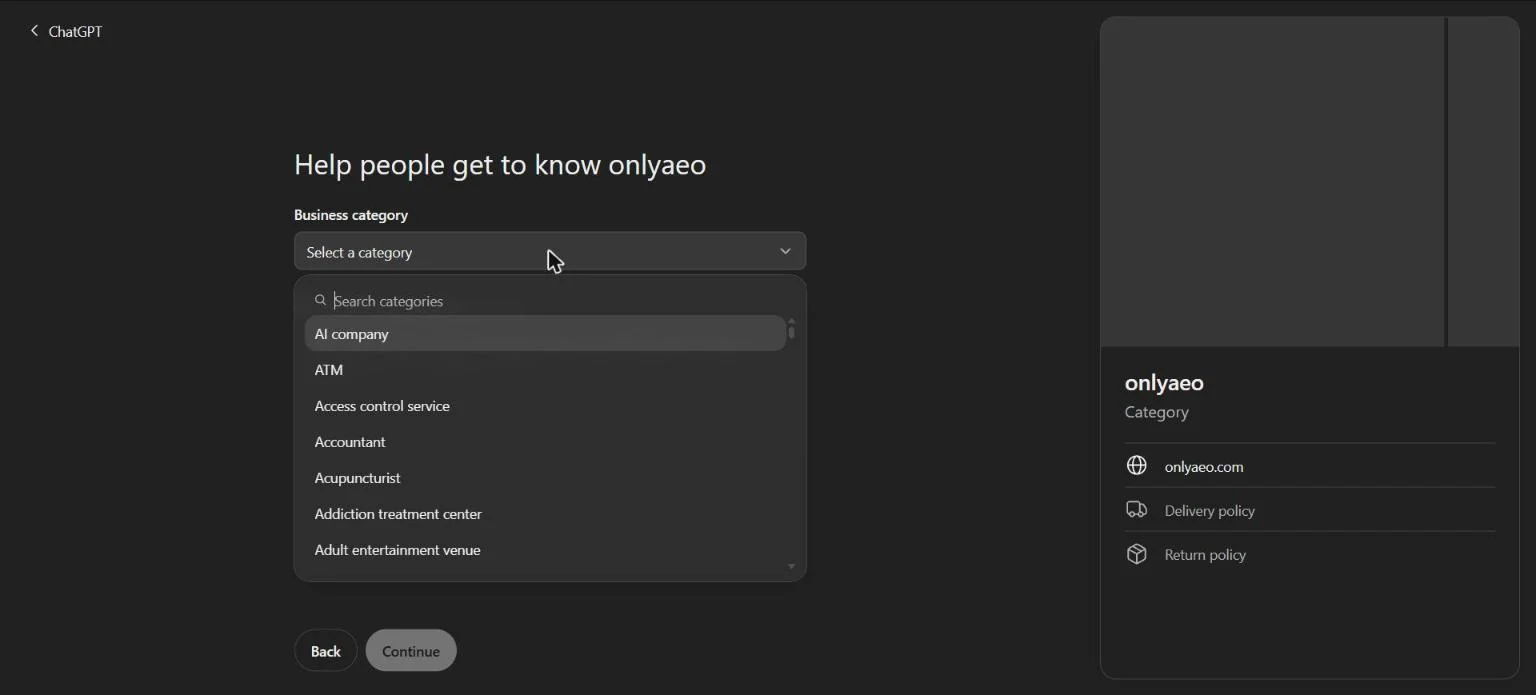
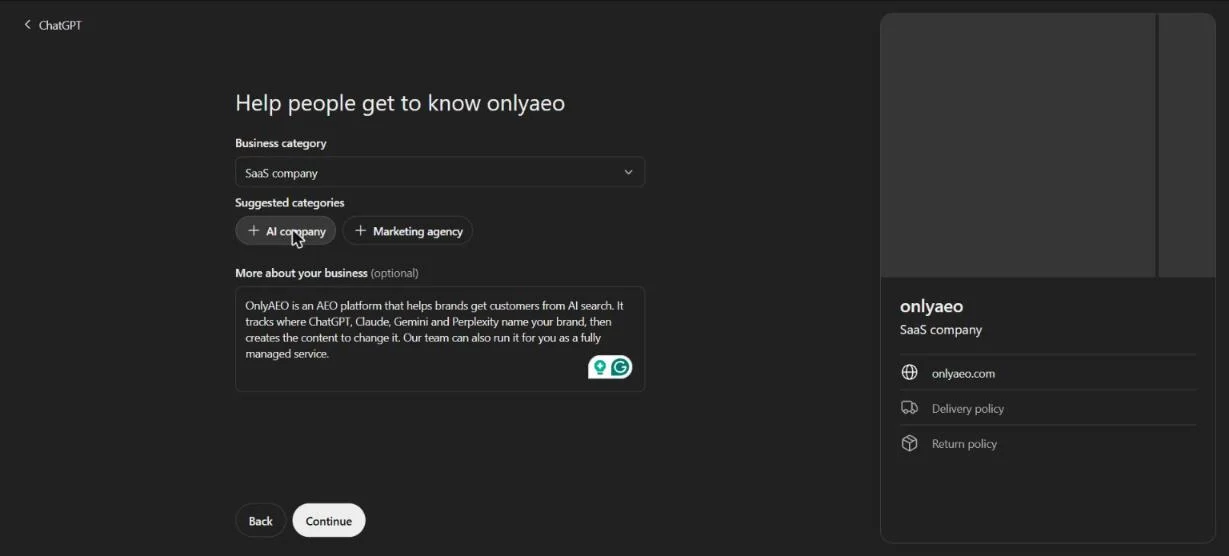
You can only keep one category. After we picked Software company, ChatGPT suggested SaaS company, AI company and Marketing agency. Clicking a suggestion replaces your choice, it does not add a second one. We settled on SaaS company because it is the most precise description of what we sell.
The More about your business box is optional, but it is the one place you tell ChatGPT in your own words what you do, so fill it in. It stops accepting text at about 300 characters, which we found out when our first draft got cut off mid-word. Write it like the opening of an encyclopedia entry: what you are, who it is for, and what you do. Skip slogans.
Step 6: Add contact details and confirm the email
You can add a phone number and an email address. Both are optional and both appear on your public profile, so use addresses you are happy for customers to see. We added only an email, the same one already on our website.
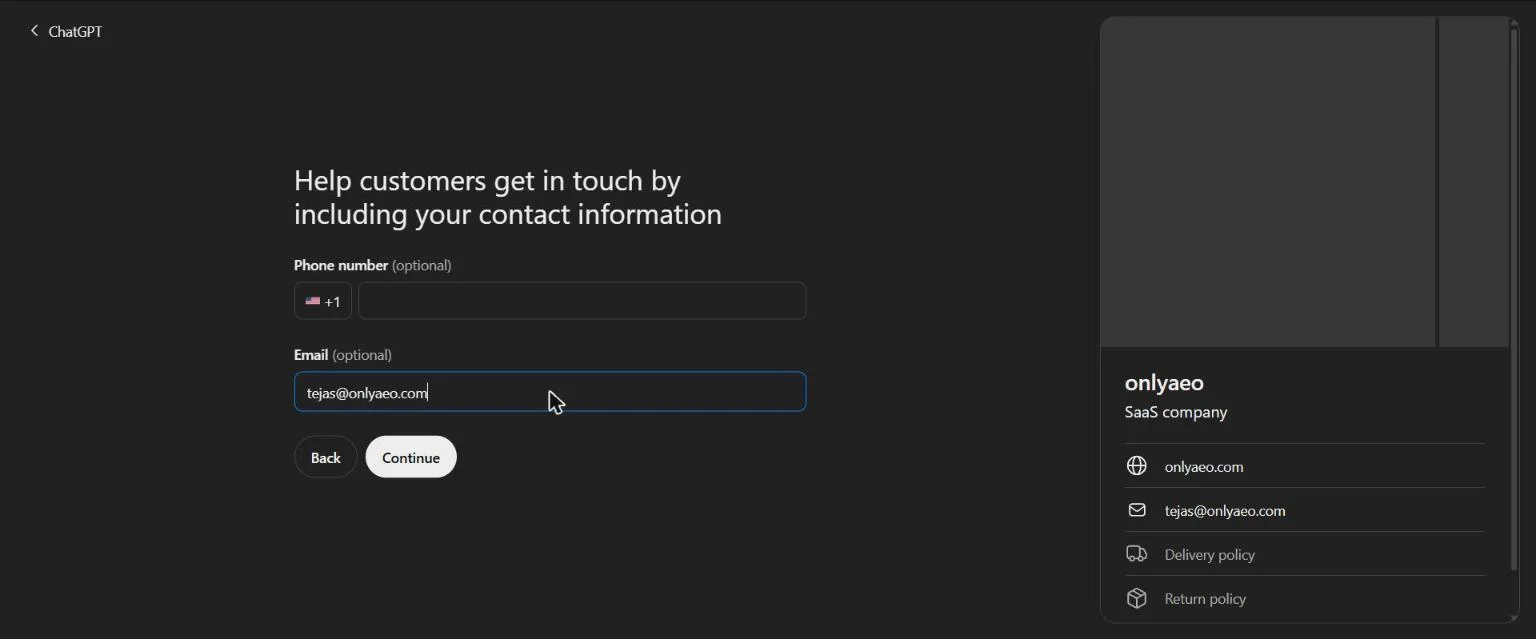
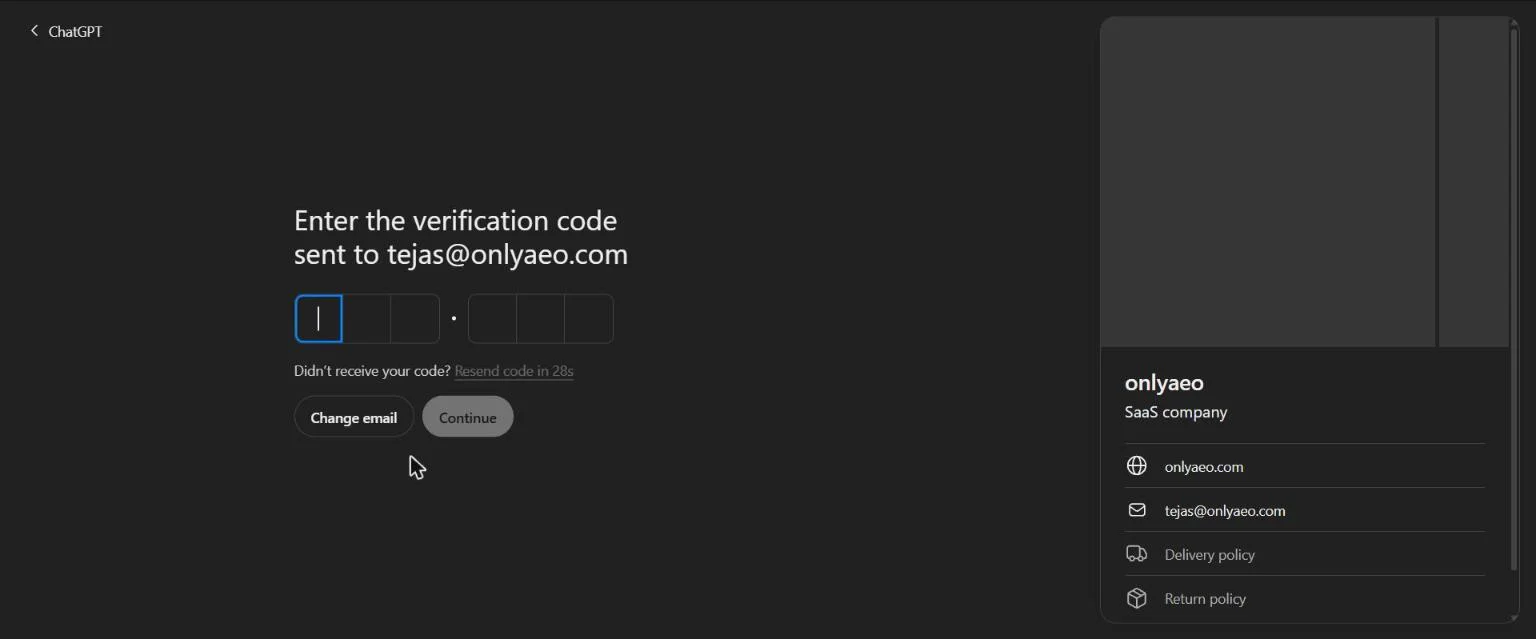
ChatGPT then emails a six-digit code to that address and asks you to type it in. Have the inbox open before you click Continue. If the email doesn't arrive, there is a resend link after about 30 seconds and a Change email button.
Step 7: Set your delivery and return policies
Two quick questions, written for shops but asked of everyone. For delivery, the options are We don't offer delivery, Paid delivery and Free delivery. For returns, they are Returns not accepted, Returns accepted, with fees and Free returns.
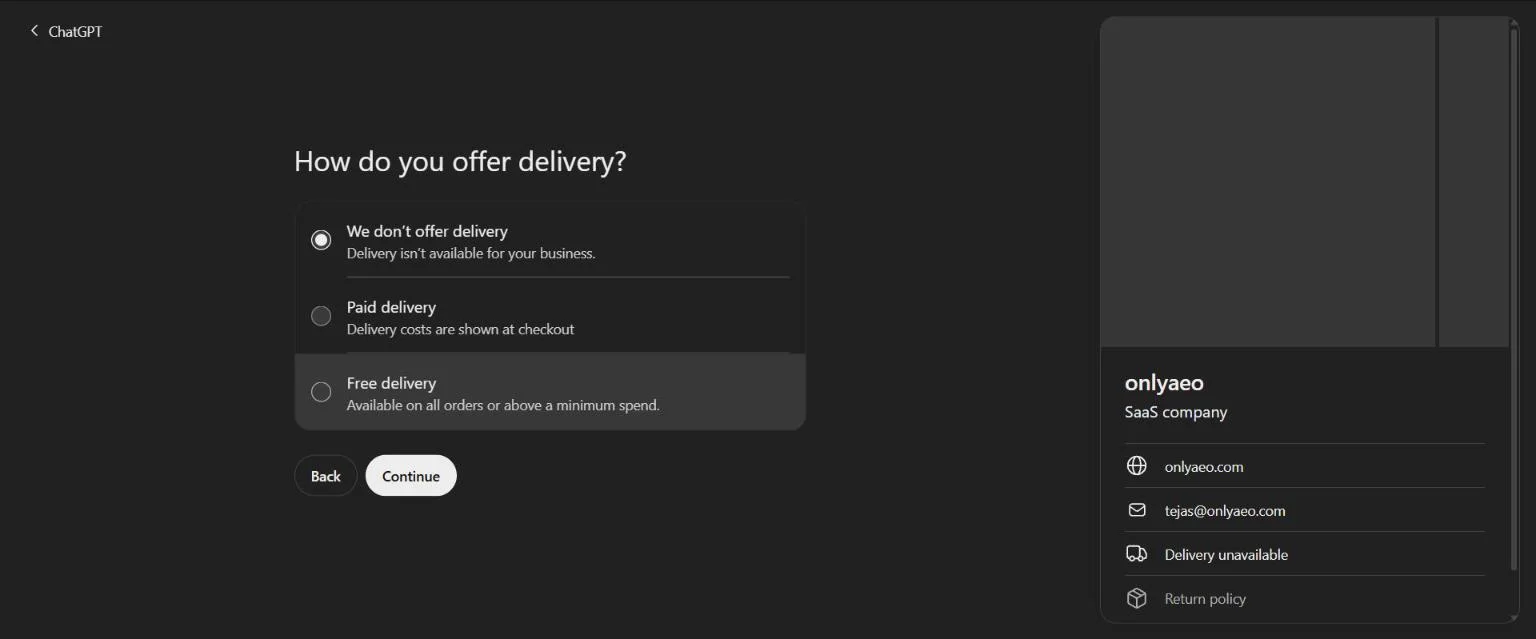
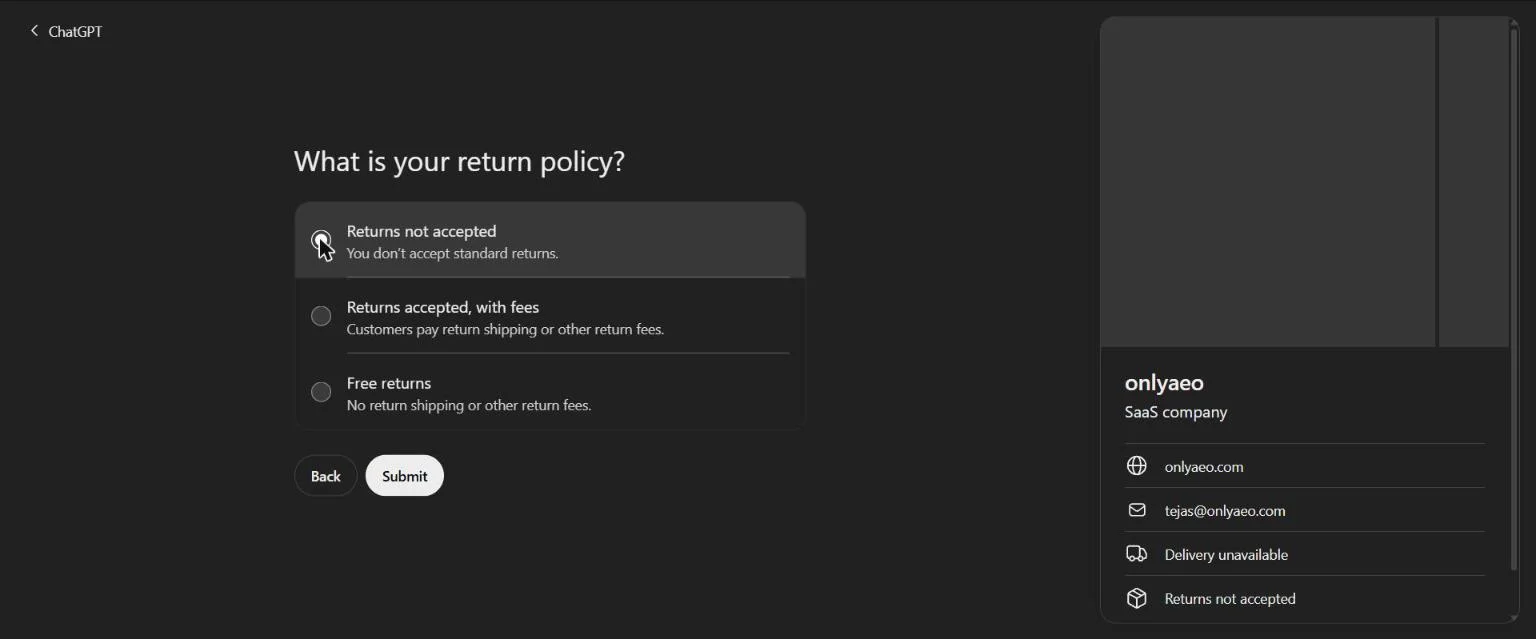
Answer honestly. ChatGPT can repeat these to people asking about you, and a policy that contradicts your terms page creates exactly the kind of mismatch you are trying to fix. Click Submit when you're done.
Step 8: Your profile is created, as a draft
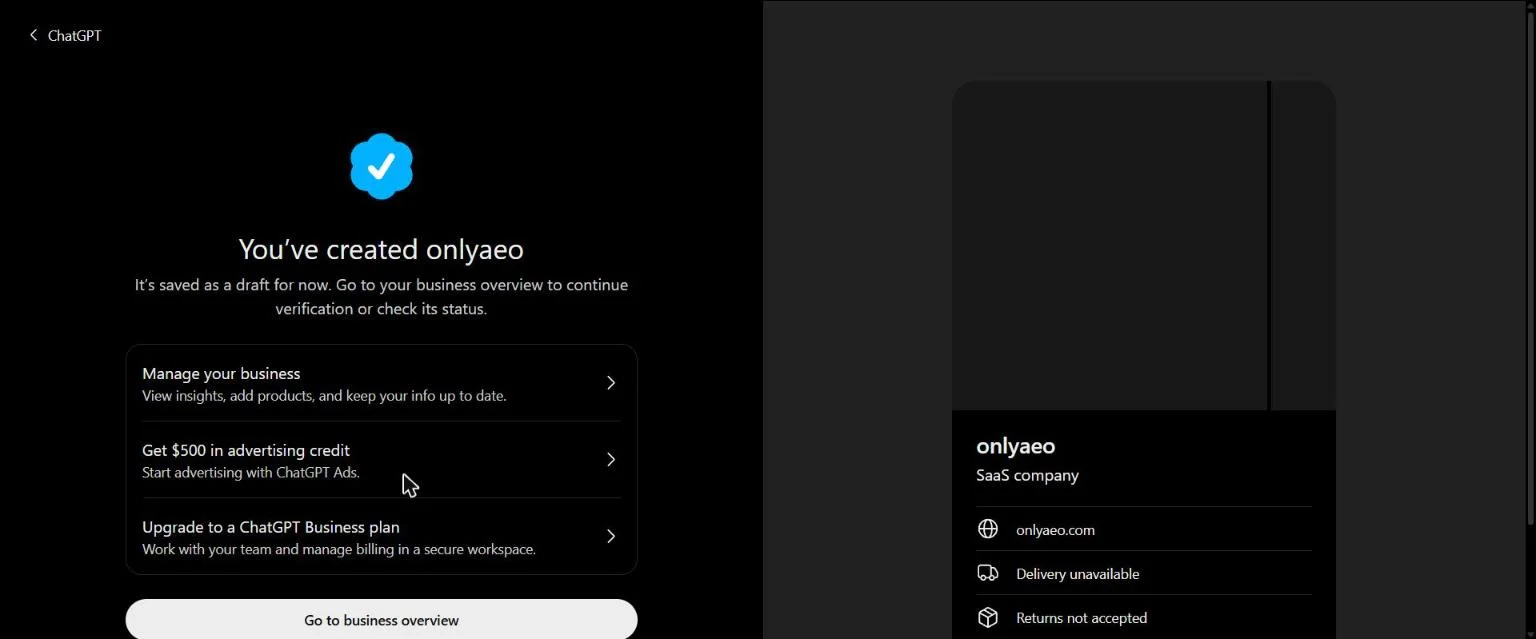
After Submit you get a confirmation that says your business was created, with a note that it is "saved as a draft for now." The page also offers to manage the business, a $500 advertising credit for ChatGPT Ads, and an upgrade to a ChatGPT Business plan. None of those are required to finish claiming.
Step 9: Verify your identity with Persona
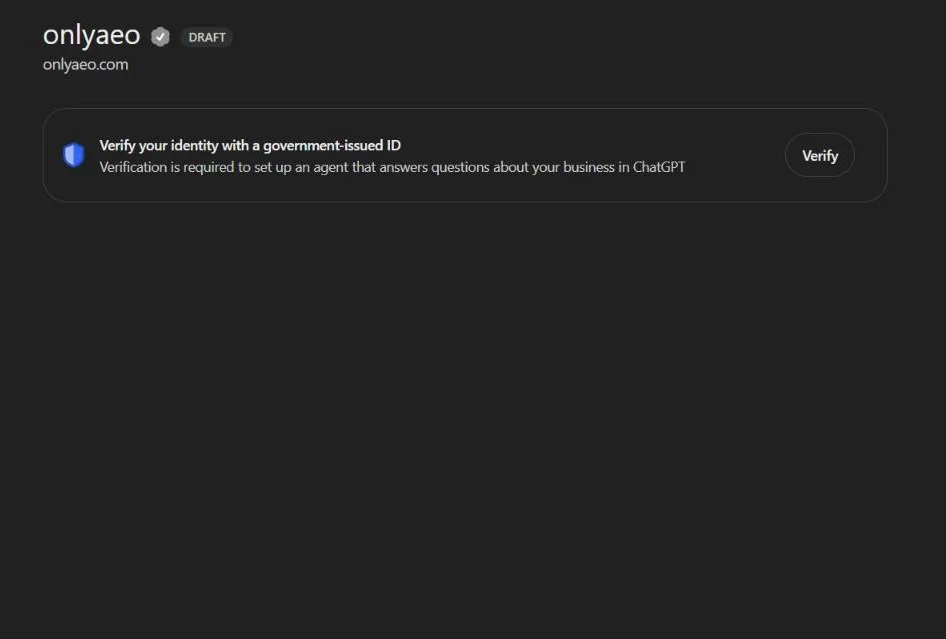
Open the business overview and you'll see a banner: Verify your identity with a government-issued ID. This check is run by Persona, not by ChatGPT itself. Until it is approved, you cannot edit business information, see insights, connect a product feed, or build a business agent.
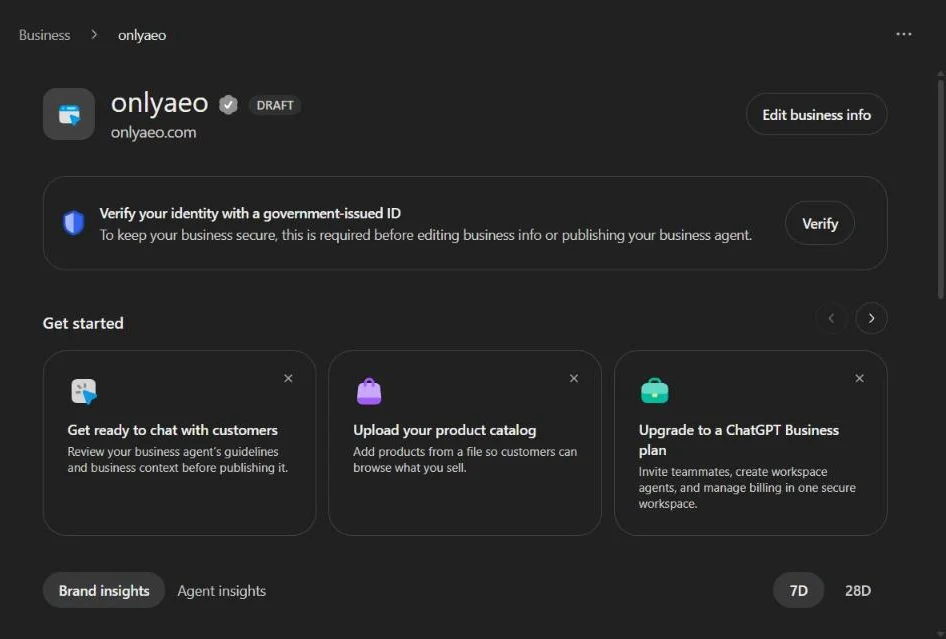
Click Verify and follow Persona's steps. OpenAI says you may need a government-issued ID, your business registration details, and proof you are authorized to represent the business. Use your legal business name exactly as it appears on your registration documents, and use the trade-name field if your brand name is different.
Once you submit, the status changes to Review in progress. OpenAI reviews it and emails the decision. It publishes no review time.
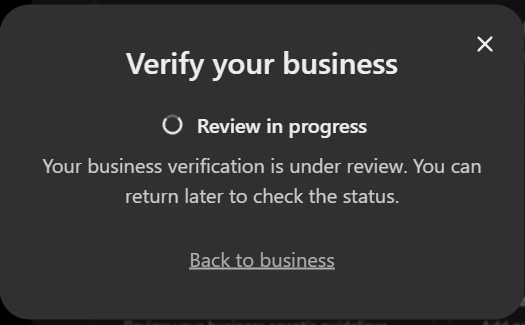
One thing to know before you submit: if you created a new profile, OpenAI's approval publishes it automatically. There is no separate publish button, so check your category, description and policies before you send the ID.
What you get once you're approved
Approval gives you three things.
- Control over your facts. You can update your website, description, category, logo, cover photo, and delivery and return policies. OpenAI reviews each change before it appears, and ChatGPT may still use other sources when it answers questions about you.
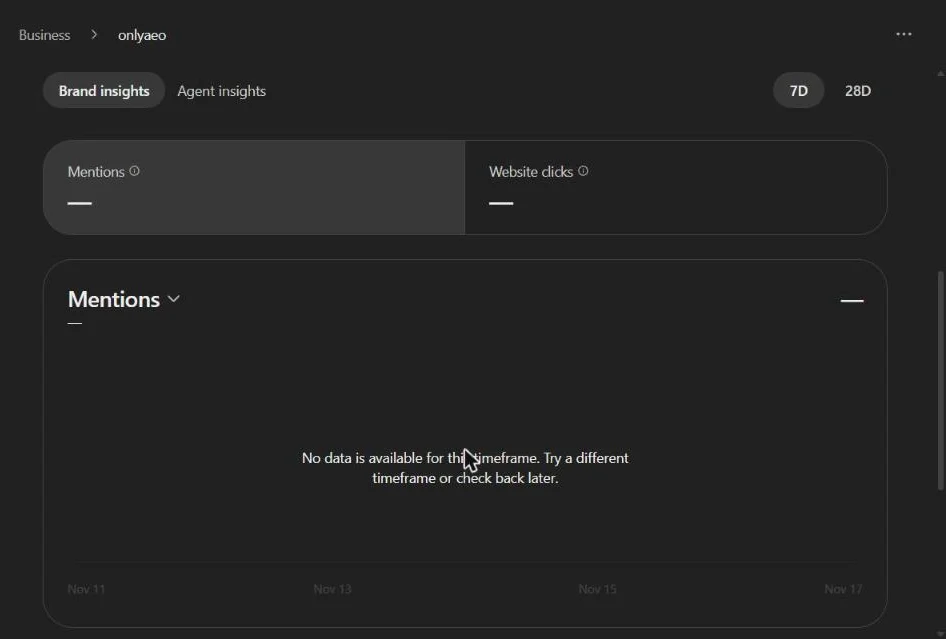
- Insights. Over the last 28 days, you see mentions, website clicks and discovery topics. For an online business, a mention only counts when ChatGPT references your website. Your brand name appearing in an answer on its own doesn't count. Discovery topics group the themes of answers that cited you; you never see individual prompts.
- A blue verified badge. It appears after your Persona check is approved. Claiming alone doesn't give you one.
Eligible ecommerce and online service businesses in the US can also build a business agent, a chat that answers customer questions about your products and policies using information you provide. It's optional, needs its own approval, and only goes live when you click Publish. It can explain and link to your site, but it can't take orders or bookings.
What claiming does not do
It is easy to read too much into this, so be clear about the limits. OpenAI's own FAQ says claiming your business "doesn't guarantee increased visibility or give you direct control over ChatGPT's independent recommendations," and that advertising doesn't influence ChatGPT's independent answers either.
What the profile gives you is a clean, verified source of facts about your business and a way to measure how often ChatGPT sends people to you. Whether ChatGPT recommends you when a buyer asks "what's the best tool for X" still depends on the same things it did last month: whether your site answers that question clearly, and whether the reviews, comparisons and articles ChatGPT reads name you. If you want to see where you stand on those, start with how to measure your AI visibility, and if ChatGPT is already describing you wrongly, see how to fix what ChatGPT gets wrong about your brand.
Common problems and fixes
| Problem | Fix |
|---|---|
| Verify domain fails | Look up the TXT record from your own machine. If it's missing, the host is usually wrong: check whether your DNS panel added your domain twice. |
| Description is cut off | The box stops at about 300 characters. Rewrite it shorter rather than trusting the preview. |
| Picking a second category replaced the first | Only one category is kept. Choose the most precise one. |
| No verification code by email | Check spam, wait for the resend link, or use Change email to fix a typo. |
| Profile still says Draft after Submit | Expected. It stays a draft until your Persona check is approved. |
| Your business is already claimed by someone else | Open the profile, use the ••• menu, and choose Dispute ownership. |
| You can't create an agent | Agents need an approved claim, an approved Persona check, and an eligible US online business. A verified profile alone isn't enough. |
More questions about claiming your business in ChatGPT
Is it free to claim a business in ChatGPT?
Yes. We claimed OnlyAEO from a free ChatGPT account. OpenAI says you don't need an Ads account or a ChatGPT Enterprise agreement to claim an eligible business. ChatGPT offers advertising credit and a paid Business plan along the way, but neither is required.
Which verification method should I use?
Use whichever your listing offers that you can complete today. The website domain method adds a TXT record to your DNS and doesn't change your public phone number. Business phone and business email send a code to the contact details on the listing. Shopify stores can verify by logging in to Shopify.
How long does it take to get approved?
Filling in the profile took us about 15 minutes, and the DNS record was already live. OpenAI then reviews the claim and the Persona identity check and emails its decision. It doesn't publish a review time, and it says review time varies.
Will claiming my business make ChatGPT recommend it more?
Not on its own. OpenAI says claiming lets you manage the information you provide but doesn't guarantee more visibility or control over ChatGPT's independent recommendations. Recommendations still depend on your content and on what other sites say about you.
Can an agency manage our business profile?
Yes. OpenAI says the admin who claimed the business can add teammates in Business Hub and grant an agency access to manage the business or its agent. Each person uses their own ChatGPT account.
What counts as a mention in the insights?
For an online business, a mention counts when ChatGPT references your website. Your brand name appearing on its own doesn't count. For a local business, a mention counts when ChatGPT shows a result for that location.
Source: OpenAI Help Center, "Setting up your business on ChatGPT." Screenshots are from our own claim of OnlyAEO on 18 November 2026. Interface details may change as the feature leaves beta.